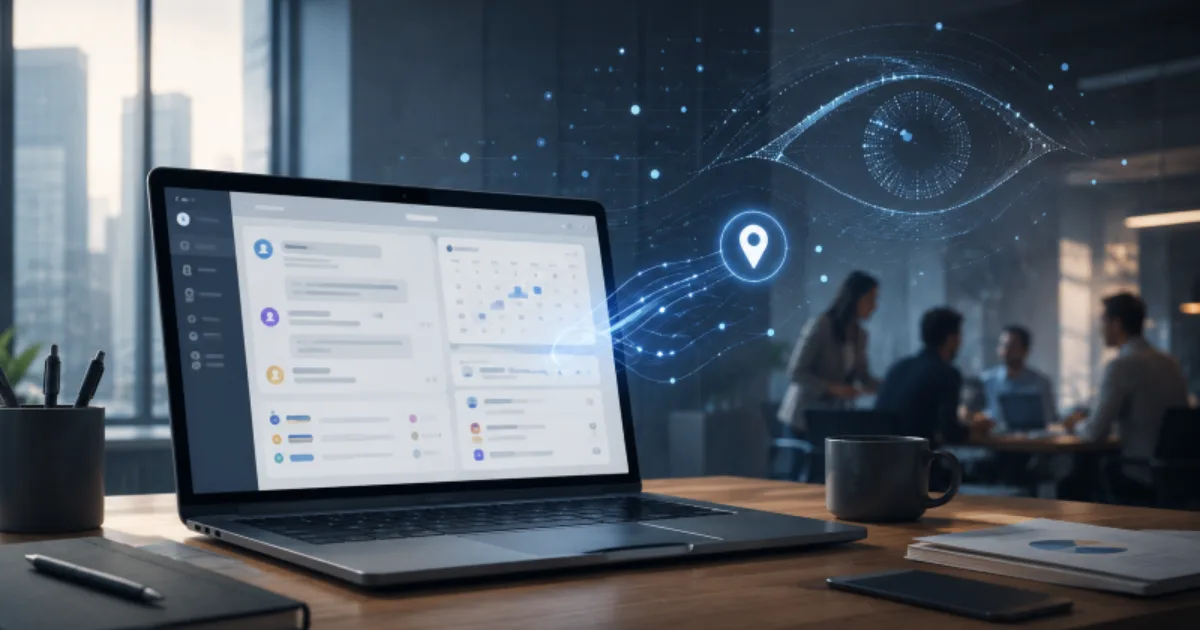
When I arrive at the office, the first things I open are Microsoft Teams and Outlook.
I check the messages that came in overnight on Teams and review my schedule for the day in Outlook. I put pending tasks into Planner and check who is responsible for each item, when it is due, and how far it has progressed. Even when I browse the internet at work, I use Microsoft Edge rather than Chrome.
I want to keep my professional and personal lives as separate as possible.
For services I use at work, I sign in with my company email address. When I attend a conference for business purposes, I register with that same address. I consider that part of the basic discipline of being a salaried employee.
By contrast, I never use my company email address for personal activities.
When I attend an event as a writer on Kakao Brunch, I use my personal email. When I participate in an academic event as a doctoral researcher at Sogang University’s Graduate School of Metaverse, I use an account appropriate to my academic and research activities. I also use separate email addresses for the services I operate personally and for content-related events.
The reason I go through the trouble of separating multiple accounts is simple.
The professional version of me works within my company’s systems.
But I do not believe the person I am outside the company needs to exist within those same systems.
The boundary between work and private life is invisible. That is why I try to separate my accounts, browsers, and devices. It is a small rule, but I have long regarded it as one way of protecting myself in the digital age.
Today, I happened to come across news of an update to Microsoft Teams.
Microsoft was introducing a feature called “Workplace Check-in.”
The feature automatically updates an employee’s work location when their laptop connects to a company-registered Wi-Fi network or to a pre-registered desk peripheral such as a monitor or docking station. Depending on how the organization configures it, coworkers may be able to see whether a user is in the office, working remotely, or located in a particular building.
My immediate reaction was instinctive.
“So Teams is going to track employees’ locations now?”
The screen said “Workplace Check-in,” but for a moment, what I read was “employee location tracking.”
It made me uncomfortable.
Perhaps it was because memories from my days as a journalist came rushing back. Whenever I encountered words such as location data, tracking, or surveillance, I instinctively became wary. I still retain the habit of asking who truly benefits whenever technology is introduced in the name of convenience.
Yet when I looked more closely, the feature turned out to be different from my initial negative impression.
The version of Workplace Check-in currently available does not use smartphone GPS to track an employee’s movements in real time. It works through the Teams desktop app on Windows and macOS. Once the user grants the operating system permission to provide location access, Teams updates the employee’s work location when the laptop connects to a wireless network or desk peripheral that the company has registered in advance.
The feature is not yet supported on mobile Teams.
It does not provide administrators with historical location records.
The actual location signal is cleared once the employee’s configured working hours end.
Users can also change or delete their work location manually.
Microsoft has also drawn a clear line, stating that the feature is not intended to monitor employee attendance or workplace compliance.
After confirming all of this, I began to think that my initial description of the feature as “employee location tracking” was somewhat exaggerated.
There is a fundamental difference between identifying whether a laptop has connected to a company Wi-Fi network and using smartphone GPS to follow an employee’s movements.
Taken on its own, the current feature appears closer to what Microsoft describes: a collaboration tool designed to reduce the friction of hybrid work.
Even so, a question remained in the back of my mind.
Similar information is already available through many companies’ ERP systems and internal messaging platforms.
An employee’s status may already be displayed as working from home, on a local business trip, on an out-of-town business trip, or on leave. Messaging tools also show whether a person is available, busy, in a meeting, or unavailable. Internal systems may reveal which department someone belongs to, which floor they work on, and what responsibilities they hold.
In other words, many organizations already have enough tools to identify an employee’s work status and location within the company.
That is why the word “surveillance” came to mind when I learned that Teams was introducing an automatic work-location update.
But once I set aside my initial resistance and looked at the feature again, another interpretation became possible.
Perhaps Microsoft is trying to expand Teams beyond chat and videoconferencing into an integrated platform that encompasses the broader operation of corporate work.
Microsoft’s strategy is already moving in that direction.
Teams is no longer limited to messaging and video meetings. It connects with Outlook calendars, enables task management through Planner, and allows document sharing through SharePoint and OneDrive. A growing number of Microsoft 365 functions are converging within the single interface of Teams.
Once work location is added, Teams becomes a platform that connects not only people’s conversations, but also schedules, tasks, documents, and physical spaces.
If all of this can be handled within a single screen, the advantages are obvious.
Employees would no longer need to open a separate HR system or internal messenger just to check where a coworker is working. While starting a conversation in Teams, they could immediately see whether the other person is in the office or working remotely.
It would also become easier to decide between an in-person meeting and a video call. Coworkers in the same building could arrange a quick face-to-face discussion, while people in different locations could move directly to an online meeting.
The feature could be even more useful for companies operating multiple buildings or worksites. If employees can see whether a colleague is at headquarters, another office building, or a research center, they can reduce unnecessary travel and communication.
Companies using shared desks could connect desk reservations with work-location information. When an employee connects to a particular monitor or docking station, the system could automatically display where that person is working.
The feature could also reduce the repetitive manual input required in hybrid work environments. Employees would not have to register “in the office today” or “working remotely today” every morning if their location could be updated through actual connection data.
In organizations where travel and off-site work are common, work location could serve as an additional signal for assessing whether a colleague is available. Before making an unexpected call or sending a message, an employee could check the other person’s schedule, presence status, and work location together.
From the perspective of executives and managers, the feature could also offer a clearer view of where collaboration is possible across the organization. They could coordinate work that requires face-to-face interaction and manage meeting rooms and shared desks more efficiently.
In that sense, Workplace Check-in may be better understood not as a simple location feature, but as one part of Microsoft’s broader effort to transform Teams into a comprehensive corporate operating platform.
The strategy appears to be about moving beyond the chat window and placing schedules, tasks, documents, people, and physical spaces inside a single interface.
Seen from that perspective, the update becomes much easier to understand.
But does that mean the feature is entirely without problems?
I do not believe technology can be judged solely by its original purpose.
What matters is not only what a feature does today, but how far it may be expanded tomorrow.
Today, it checks whether a laptop has connected to the company Wi-Fi.
Today, it works only on Windows and macOS.
Today, the location is cleared when working hours end.
Today, it does not provide historical location records.
But the statement “that is how it works today” does not guarantee that it will always remain that way.
Could Microsoft eventually expand Workplace Check-in to the mobile version of Teams?
Could it evolve into a feature that uses smartphone location data to identify more precisely which worksite an employee is visiting?
If corporate customers ask for statistics or reporting tools to analyze office attendance and space utilization, would Microsoft continue to refrain from offering them?
Features that analyze how many employees are present in a particular building, which days have the highest office utilization, or which teams work remotely most often could be highly attractive to corporate HR departments and administrative teams.
It is also difficult to rule out the possibility that information initially presented in aggregate form could one day be broken down to the individual level.
Of course, none of this has happened yet.
Nor has Microsoft announced such plans.
For that reason, it would be wrong to treat mobile location tracking or workplace surveillance as an established fact at this stage. Such criticism would place speculation ahead of evidence and could easily descend into vague fear of technology.
What is certain, however, is that technology does not always remain confined to the purpose for which it was originally created.
A knife is used to cut food and prepare ingredients. In someone else’s hands, it can become a weapon.
Dynamite was developed to make dangerous mining work safer and to remove solid rock more efficiently. It helped carve through mountains and build roads and railways, but it was also used as an instrument of war and violence.
Digital technologies are no different.
The internet grew out of a vision of an open space where anyone could freely share knowledge and information. Yet fake news, hatred, illegal trade, and cybercrime grew on that same infrastructure.
Social media enabled people separated by distance to connect and gave almost anyone a public voice. But algorithms designed to connect people eventually became systems that capture and hold their anger and anxiety. In pursuit of longer engagement, platforms began recommending more provocative content and trapping users inside communities of like-minded people.
Blockchain also began with the ideal of creating a new system of trust without the need for a central authority.
It promised transparent transaction records, direct individual control over assets, and the redistribution of power concentrated in platforms and financial institutions. Blockchain did, in fact, open possibilities for cross-border transfers, digital assets, smart contracts, and decentralized services.
At the same time, anonymity and decentralization were exploited for money laundering, illegal transactions, investment fraud, and market manipulation. New giant exchanges and platforms emerged on top of a technology that had promised to eliminate intermediaries. An ideal built around distributing power sometimes resulted in wealth becoming concentrated among a small number of investors and early holders.
The belief that “code does not lie” also proved incomplete.
The people who write code can make mistakes, and vulnerabilities in smart contracts can cause irreversible losses. Immutability strengthens trust by making records difficult to alter, but it also carries the paradox of preserving false information and evidence of wrongdoing indefinitely.
Generative AI was also developed to support human creativity and productivity.
It has enabled more people to write, create images, and build software. At the same time, it has raised controversy over the unauthorized use of copyrighted material in training and has dramatically lowered the cost of producing sophisticated misinformation, deepfakes, impersonation, and automated influence campaigns.
Technology does not choose its own purpose.
Even technologies created with good intentions can produce entirely different outcomes depending on who owns them, which business model they are tied to, and what rules govern their use.
The problem is not that knives, dynamite, blockchain, or artificial intelligence are inherently evil.
The problem is that the capabilities technology creates do not remain loyal only to good intentions.
When technology expands human capability, it expands not only human goodwill, but also desire, greed, and the impulse to control.
Enterprise software is no exception.
A feature designed to help coworkers find one another can become a tool for checking whether employees have come to the office. Data created to improve the use of office space can be combined with other information and used to judge individual work behavior.
At first, it may be nothing more than a small signal indicating whether someone is in the office or working remotely.
But the meaning changes the moment that signal is combined with building-access records, work schedules, messaging activity, meeting attendance, and document-editing logs.
Information intended for collaboration can become data used to evaluate a person’s labor.
Even if administrators are not given an official location history or attendance report, a real-time work-location signal can still become the basis for informal judgment.
“You said you were working in the office today. Why does Teams show you as remote?”
“You have been working from home all week.”
“Everyone else came in that day, but you were not in the office.”
Questions like these do not arise only from formal attendance systems.
They can emerge the moment a person sees information and begins to interpret it.
The intentions of the company that creates a technology and the way an organization ultimately uses it do not always align.
Microsoft may explain that the feature was created for collaboration.
But some organizations may use it to confirm office attendance.
Microsoft may say that users can manually change or delete their location.
But in some workplaces, employees who disable the feature may be seen as uncooperative.
Microsoft may say that no historical location data is provided.
But the story changes if an organization combines the signal with badge-entry records, VPN logs, desk reservations, or PC login information.
The risks of technology often arise not from the technology itself, but from the organizational culture and power structure into which it is introduced.
That is why evaluating a technology requires more than asking what its developers originally intended.
What else can the technology be used for?
What can be inferred when it is combined with other data?
How might someone with authority use it?
What form might it take once its original benevolent purpose is no longer the only purpose?
These questions must also be asked.
The history of technology is not a history in which good inventions and harmful misuse developed separately.
Benefit and risk have always existed within the same technology, and the outcome has depended on which side human beings chose to encourage and restrain.
For that reason, I do not want to call Workplace Check-in a surveillance tool today.
That would be criticism running ahead of the facts.
But I also believe we should be cautious about accepting it without question as nothing more than a convenient feature.
What Teams has added today is one small location signal.
Yet one thing is clear: the range of information that a workplace platform can know about an employee has expanded by another step.
Teams already knows when I am online.
It knows which meetings I attend.
It knows who I speak with.
It knows which documents I share and which tasks I am assigned.
It knows my schedule and the progress of my work.
And now it can also know whether I am in the office, working remotely, or located in a particular building.
Each piece of information may be necessary for work.
Taken individually, each has a reasonable justification.
Chat records are necessary for collaboration.
Calendar information is necessary for coordinating meetings.
Task information is necessary for managing projects.
Work location can be explained as necessary for supporting face-to-face collaboration.
But when necessary information accumulates piece by piece, it can eventually become a large window through which a person’s labor is observed.
That window may be opened for collaboration.
It may also be used for control.
What matters is not merely that the window exists.
Who is allowed to look through it?
When may they do so?
For what purpose?
Can the information be combined with other data?
Can employees refuse?
And can they refuse without suffering any disadvantage?
The answers to those questions determine the character of the technology.
Microsoft Teams is also installed on my personal computer at home.
It is linked to the Microsoft 365 account issued by my university for graduate-school coursework. Yet there are no colleagues or research-team members connected to my Teams chat window. I barely use Teams itself. The account is connected mainly so I can use Microsoft 365 services for academic work.
Of course, simply having Teams installed on a personal computer does not activate Workplace Check-in.
For the feature to work, a school or company administrator must first enable it at the organizational level. The organization must register its Wi-Fi networks, buildings, and desk peripherals such as monitors and docking stations. The user must also allow Teams to access the operating system’s location service and enable automatic work-location updates in Teams settings.
Therefore, logging into Teams at home with a university account does not mean that the university can identify my actual location or track the movement of my computer.
Viewed in this context, Workplace Check-in remains a small feature operating within a limited scope.
For some people, it may prove genuinely useful.
As Microsoft explains, it may become an intelligent tool for helping coworkers share their work locations and reducing the coordination problems that arise in hybrid work.
Even so, a small sense of unease remains.
Not because the current feature automatically amounts to location tracking or workplace surveillance.
It remains because there is no guarantee that a technology will stay forever within the purpose and scope in which it was first introduced.
The dangers of technology do not usually arrive wearing the face of a weapon.
Most of the time, they come promising to make our lives a little more convenient.
What we need, therefore, is neither blind fear of new technology nor uncritical acceptance simply because it is useful.
Who receives the convenience?
What new information becomes visible in exchange for that convenience?
Who can see that information and combine it with other data?
And can those who do not want it meaningfully refuse?
We should always remember that technology’s other face often appears not when the feature itself expands, but when we stop asking questions.